How to place a bid
You do not need to be logged in to search for properties, but you do have to be logged in and have an active application to bid on properties.
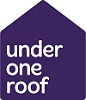
Click on the Properties and recent lets search link, select the type of property you are searching for, and press the Search button.
If you just press the Search button without selecting a property type or area, all available properties will be displayed.
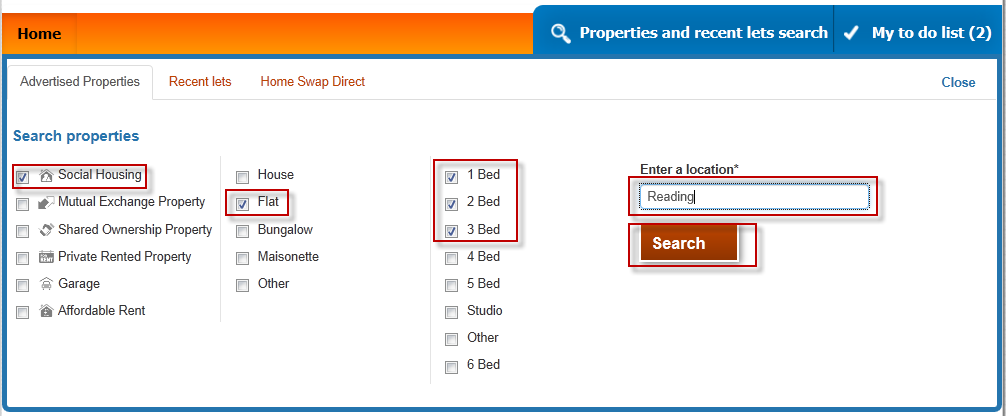
A list of properties will be displayed.
If you are logged in, each property will indicate whether if you are eligible or not. Your potential position on the shortlist at time of bidding is also displayed.
This position can change as other applicants place their bids
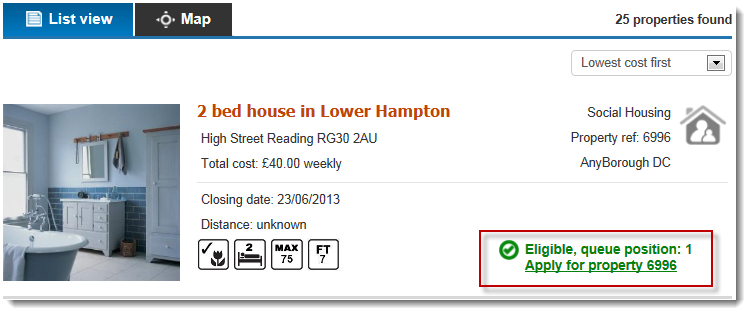
If you are eligible and would like to bid on this property, select the 'apply for property' link.
Confirm your contact details are correct and update them if needed and then press the Confirm details and apply button.